

Overview
Overview
GoalPrevail Custom Admin Screens for WordPress lets you build backend-only pages with the standard WordPress editor and surface them right inside wp-admin. Start from a prebuilt template or a blank screen, compose it with blocks or the Classic editor, then decide who sees it and where it lands on the admin menu. No page builder, no custom theme code, no lock-in.
Why use it
WHY USE CUSTOM ADMIN SCREENS
Welcome dashboards, resource hubs and client onboarding pages usually mean custom code or a heavyweight page builder. This plugin uses the editor you already know: build the screen, limit it to the right roles or users, and send people straight to it after login. Everything stays native to WordPress, so your custom pages look and behave like the rest of wp-admin.
Features
Features
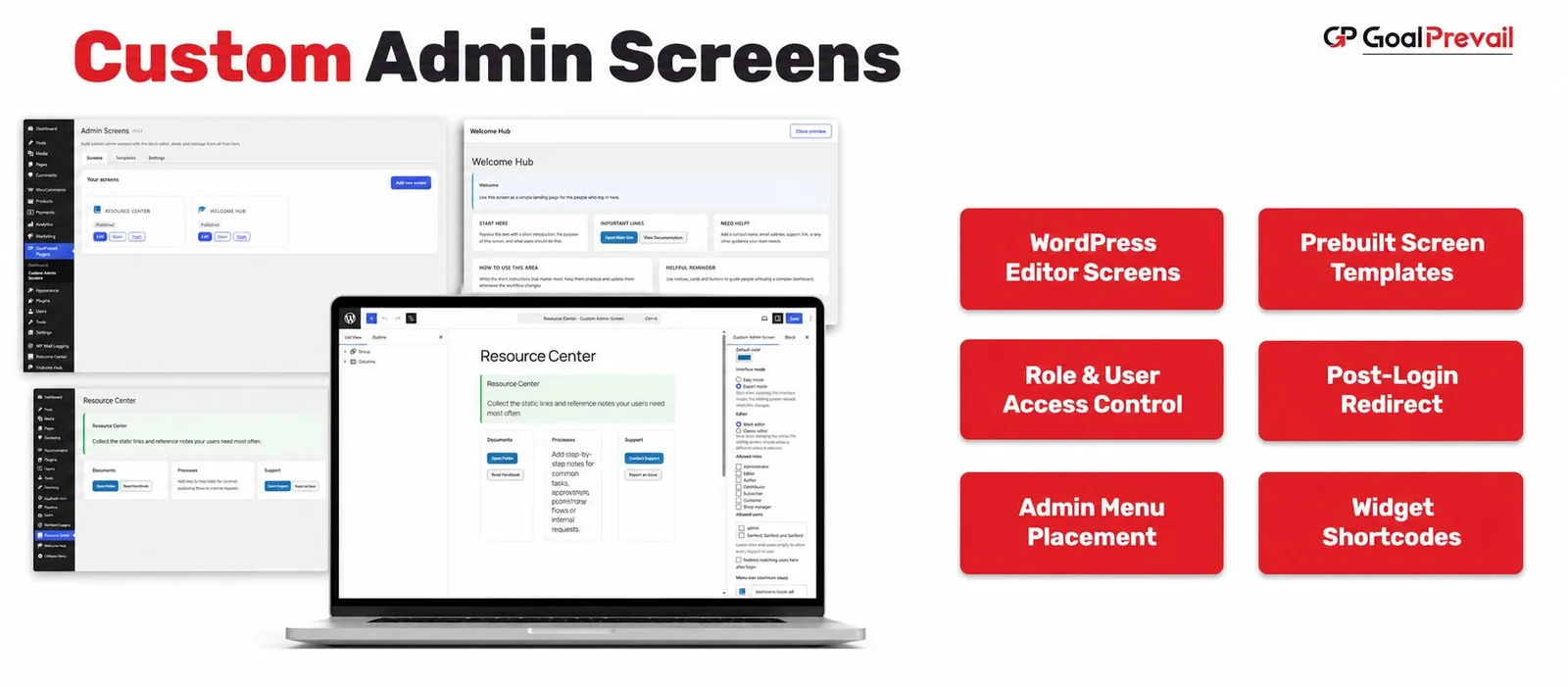
Build with the WordPress Editor
Compose backend-only pages with the Block editor or the Classic editor, chosen per screen. No page builder and no new interface to learn.
Role & User Access Control
Limit each screen to specific roles, specific users, or leave it open to every logged-in user. Individual-user targeting wins over role targeting.
Admin Menu Placement
Every screen shows up in wp-admin, either as its own top-level item or grouped under one “My Screens” menu, with the icon you choose.
Prebuilt Templates
Start in one click from Welcome Hub, Resource Center, Quick Links, Onboarding Guide, Announcement Board or a Starter Layout, inserted as fully editable core blocks.
Post-Login Redirect
Mark any screen as the page users land on immediately after login, so the right people arrive exactly where you want them.
Widget Shortcodes
Drop in ready-made building blocks: grid, card, stat, button, notice, progress, recent posts and a personalised greeting. For example [gpcas_card], [gpcas_stat], [gpcas_user_greeting].
Use Cases
- Agencies building branded welcome and onboarding dashboards for client sites.
- Teams giving editors a curated resource hub and quick links without touching code.
- Multi-role or membership sites that send each user to the right screen the moment they log in.
Who It’s For
- Agencies delivering polished, client-ready WordPress dashboards.
- Site admins who want custom admin pages without a page builder.
- Teams that need role or user-specific access to internal pages (editors included, not just admins).
- Developers who want screens exposed over the REST API with filters to extend.